Bulin 47 AI Video Generator

Your character. The familiar freestyle. Bulin 47 AI replaces the lead performer from one photo, following the original movement, rhythm, and camera.

Create a video

ModelSeedance 2.5 Edit

Configured for this template

Bulin 47 reference · 23.2s

Main character · Photo 1
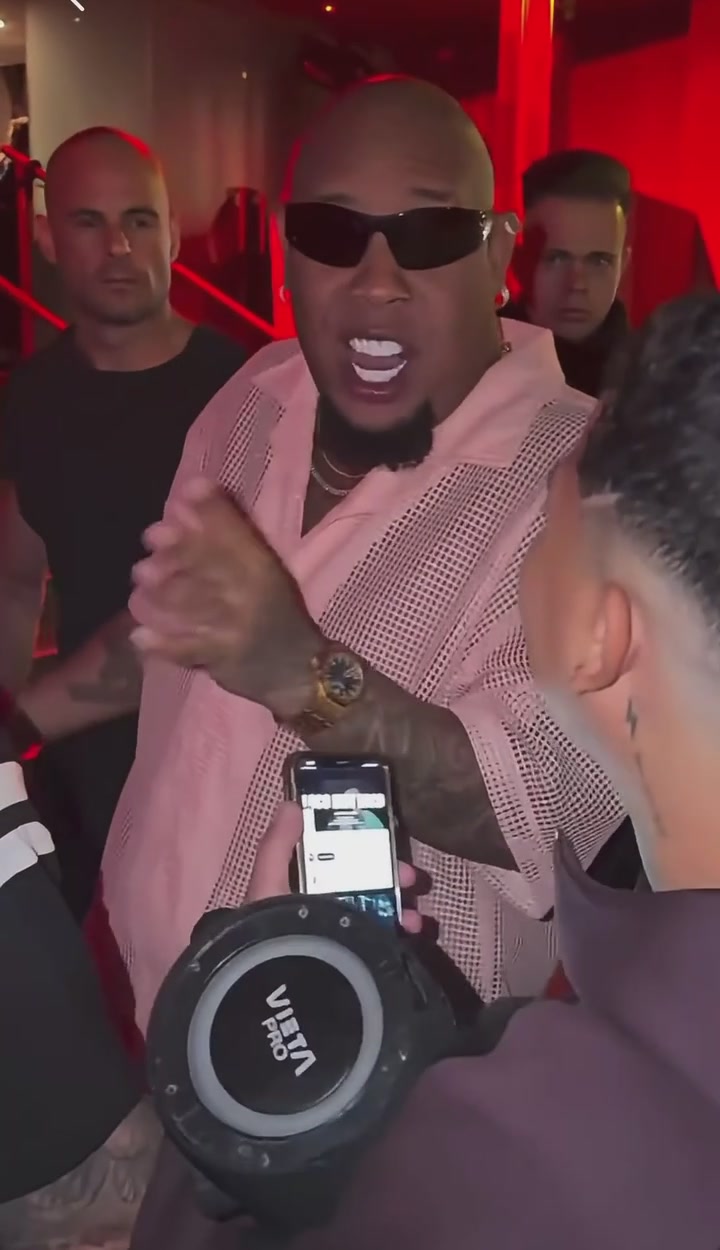
Bulin 47 reference performance, with the lead behind the person holding a portable speaker

What is Bulin 47 AI?

Bulin 47 AI is a photo-to-performance tool built around one recognizable scene. Upload a character image and use the loaded performance to guide the movement, rhythm, framing, and camera. The character you choose takes the place of the lead in sunglasses and an open pale-pink shirt, behind the person carrying the portable speaker. The surrounding people remain outside that role. You can start with a portrait of yourself, a consenting friend, or a character you are allowed to use. The tool lets you join the performance without filming the gestures yourself.

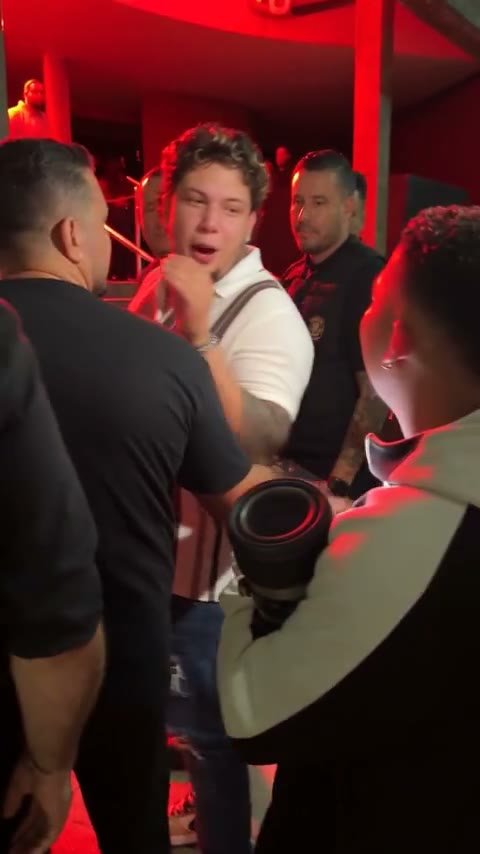
Community adaptation with a striped-shirt lead performer

Make your Bulin 47 AI video

The reference performance is already selected. Start with the person or character you want to see in the scene.

  1. STEP 1

    Add your character photo

    Upload one clear character image showing the hairstyle, outfit, and upper body. Check the preview so the intended subject and outfit are visible.

  2. STEP 2

    Review the fixed setup

    Keep the Bulin 47 AI instructions for the standard effect. Open Settings if you want to review the available quality options or enable a custom prompt.

  3. STEP 3

    Generate and review

    Sign in, review the current credit estimate, and submit. Find your Bulin 47 AI task in My creations to inspect and download the video.

A familiar performance. A completely different lead.

Explore how Bulin 47 AI handles character appearance, the surrounding scene, and original sound.

A new character, the original moves

The Bulin 47 AI edit replaces the lead character using the appearance in your photograph. Clothing, hairstyle, body shape, and visible accessories guide the new performer, while the source clip guides the gestures and movement. An upper-body image provides a clearer character and outfit reference. Choose a picture where the subject is clearly separated from the background and the clothing you want is visible. A stylized character can also give the scene a very different feel, though the model may reinterpret illustrated details as it moves. These community adaptations show possible creative directions; they do not guarantee an identical result for your upload.
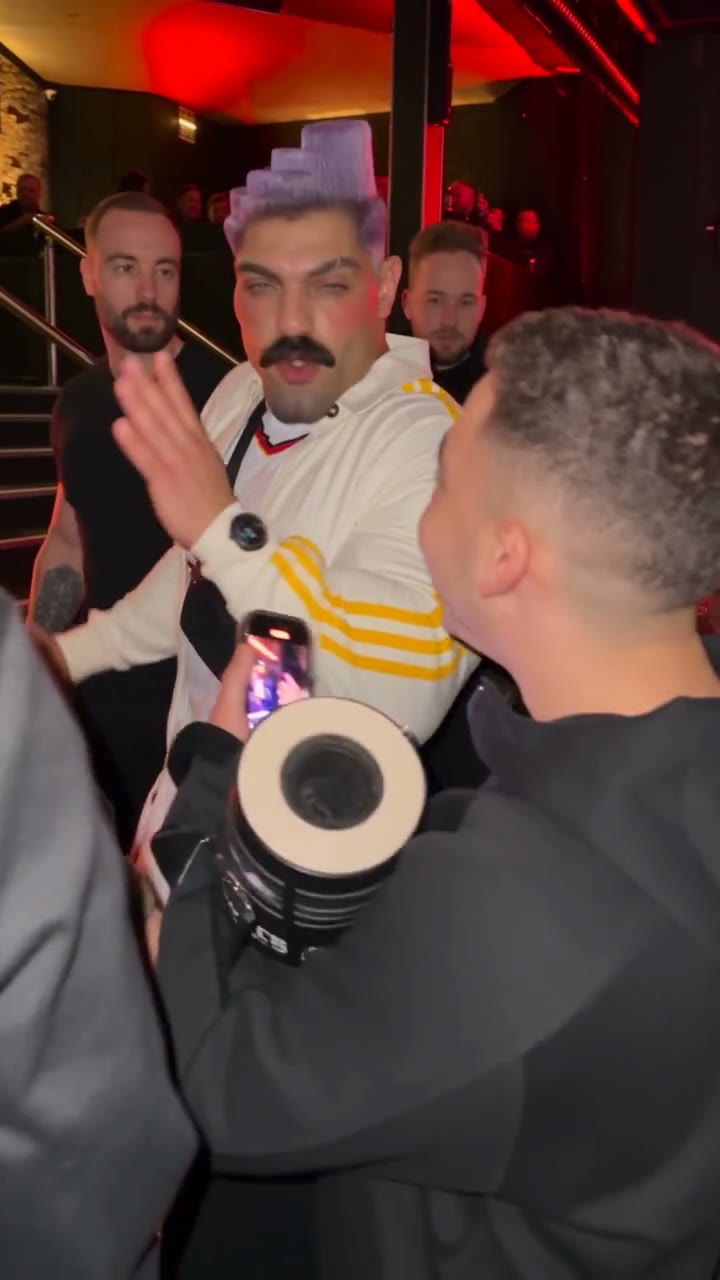
A new character, the original moves

The speaker, the crowd, the energy of the room

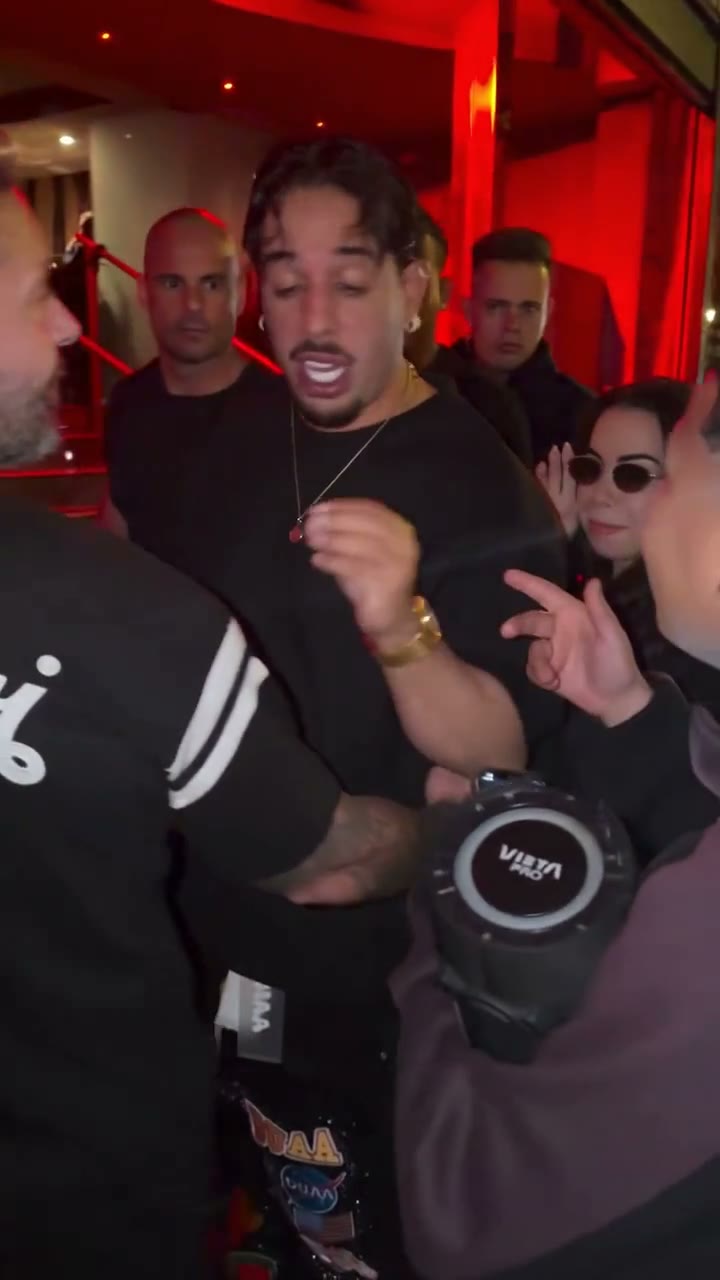
Much of the appeal of Bulin 47 AI comes from the people around the performer. The fixed instructions ask the edit to retain the foreground person, portable speaker, crowd positions, and camera movement. You supply one character photo, with no second photo required for the room. Use Bulin 47 AI for a familiar scene with your own character. Generated frames can still change surrounding people, hands, or overlapping objects. Review those details along with your own character before treating a clip as finished, particularly when someone passes close to the camera.

The speaker, the crowd, the energy of the room

A performance with its original sound

The Bulin 47 AI workflow generates the edited picture without requesting a new model soundtrack, then attempts to restore the source audio during delivery. This keeps the familiar rhythm attached to the performance instead of asking you to recreate it in another editor. Audio restoration can fail independently of the video; if that happens, a usable visual result may still be available with its audio status shown. Listen to your completed clip before sharing. Source audio does not grant music or performance rights, and this workflow does not create a new recording of your voice.

A performance with its original sound

A shorter path from photo to performance

Bulin 47 AI keeps the decisions that matter close to the upload, while the preset supplies the recognizable scene.

No performance to film

Bulin 47 AI takes movement from the loaded clip. Your photograph provides the character reference, so you can explore the idea without recording a dance, matching a camera angle, or assembling a sequence of shots.

Settings when you need them

The Bulin 47 AI prompt is prepared for this scene. Custom prompt editing stays behind its familiar switch, letting you inspect or adjust the wording without turning the first step into a blank writing exercise.

Your work stays easy to find

Review Bulin 47 AI examples and your creations in one workspace. Review an existing task before starting another variation; submitting a new generation is a separate request with its own credit estimate.

Bulin 47 AI features

The fixed setup makes each input easier to understand.

One character input

In Bulin 47 AI, Photo 1 controls the lead role. It does not assign separate identities to the speaker holder or the rest of the crowd.

A prepared performance reference

Bulin 47 AI includes the source scene and timing. This page is intended for that performance; use AI Video for a different setting or a clip built from your own prompt.

Editable instructions

Enable custom prompting to read and revise the Bulin 47 AI instructions. Conflicting requests can weaken the effect, so keep the lead role and intended scene consistent.

A result you can check

Review your Bulin 47 AI character, clothing, gestures, and final obstructed moment. Download after checking the visual and audio, and label synthetic media where the destination requires it.

Plan your Bulin 47 AI credits

The workspace shows the estimate for your selected generation settings. Compare the plans below before choosing how much you want to create.

Starter

For your first ideas.

$8.3/month

$100.0 charged yearly

2,400 credits/year

Up to 400 images

GPT Image 2Nano Banana Pro

Up to 240 videos

Seedance 2.5Kling 3.0 Motion Control
  • Up to 4K images and HD videos, depending on the model
  • Image editing, video creation & motion transfer
  • Watermark-free image & video downloads
  • Generation history in your account
Popular40% OFFSave $238.8

Pro

For a steady creative flow.

$30.0/month$49.9/month

$360.0 charged yearly

21,600 credits/year

Up to 3,600 images

GPT Image 2Nano Banana Pro

Up to 2,160 videos

Seedance 2.5Kling 3.0 Motion Control
  • Up to 4K images and HD videos, depending on the model
  • Image editing, video creation & motion transfer
  • Watermark-free image & video downloads
  • Generation history in your account
  • Use credits across image and video models
Best Value50% OFFSave $599.8

Business

For more creations, more often.

$49.9/month$99.9/month

$599.0 charged yearly

48,000 credits/year

Up to 8,000 images

GPT Image 2Nano Banana Pro

Up to 4,800 videos

Seedance 2.5Kling 3.0 Motion Control
  • Up to 4K images and HD videos, depending on the model
  • Image editing, video creation & motion transfer
  • Watermark-free image & video downloads
  • Generation history in your account
  • Use credits across image and video models

Basic

$0

Try before you subscribe

  • 18 one-time signup credits
  • Generation history included
  • Watermarked previews & downloads
  • Up to 3 images or 1 video
  • Watermark-free downloads require payment

Prices in USD; taxes and total shown at checkout. Subscriptions renew automatically; cancel in Billing settings. Subscription credits expire each period; one-time credits never expire.

Refunds: request within 72 hours. Used purchased credits and applicable non-refundable processing costs (up to 6%) are deducted. Terms · Refund Policy

Bulin 47 AI questions, answered

Know what your photo changes and what to expect from the finished clip.

What does Bulin 47 AI replace?

Bulin 47 AI targets the lead performer behind the person holding the portable speaker. Your photo supplies the whole character appearance, including the hairstyle, outfit, and body shape. The source video guides the movement, and the instructions ask the model to retain everyone else. It is a generated reconstruction, so exact character details, unchanged backgrounds, and perfect motion tracking are not guaranteed.

Does Bulin 47 AI include the reference video?

Yes. Bulin 47 AI already includes the fixed performance. You add one character photo and inspect the available settings. If you want a different motion source, a new scene, or a video that begins with your own frame, open the AI Video workspace instead of changing the purpose of this preset.

Which photo works well for Bulin 47 AI?

Use a sharp, well-lit image of one intended subject, ideally with the hairstyle, clothing, and upper body clearly visible. Heavy filters, several overlapping people, or a very small subject leave less reliable visual information. Upload only photos you own or have permission to use. The preview lets you check the image before submitting.

Can I change the clothing or use a fictional character?

Bulin 47 AI uses your photo for clothing, hairstyle, and character proportions. A fictional or illustrated character can be used when you have the necessary rights, but unusual proportions and stylized details may change during movement. For a new outfit or character concept, prepare an image in AI Image first, review it, then use that picture here.

Does Bulin 47 AI copy the original voice?

Bulin 47 AI aims to restore the original audio after the visual edit. It does not synthesize a fresh voice performance or turn your photograph into an authorized imitation of a real artist. Mouth shapes may differ from the sound. Check the delivered audio status and listen to the download before publishing.

Can I edit the Bulin 47 AI prompt?

Yes. Open Settings and enable the custom prompt switch to review the prepared instructions and make changes. Leaving the switch off uses the preset wording. Keep edits consistent with a single lead replacement; asking for new crowd identities, camera moves, and another scene at once can produce a different result from the template.

Does Bulin 47 AI require an account and credits?

You can view the examples and prepare the interface before signing in. Submission requires an account. The estimate depends on the current model and selected settings; check it before you generate. A new variation is another generation request. The current account balance and available purchase options appear in the workspace.

Is Bulin AI an official Bulin 47 product?

No. Bulin AI is an independent creation tool with no claimed affiliation or endorsement from the artist. The trend name identifies the fixed performance users are looking for. You remain responsible for permissions relating to your photo, depicted people, the source performance, and any soundtrack, especially for public or commercial use.

Step into the freestyle.

Choose the photo that makes the performance yours. Your Bulin 47 AI workspace is ready above.

Bulin 47 reference performance, with the lead behind the person holding a portable speaker